Hand your socials to an agent.
Connect Claude, Cursor or any MCP client to postme.live and let an agent draft, schedule and publish on-brand, through the same secure API key, with no OAuth dance and no glue code.
Works today in Claude Code, Cursor, VS Code and Windsurf. ChatGPT and the Claude desktop connector need OAuth for remote servers, which is coming if there’s demand.
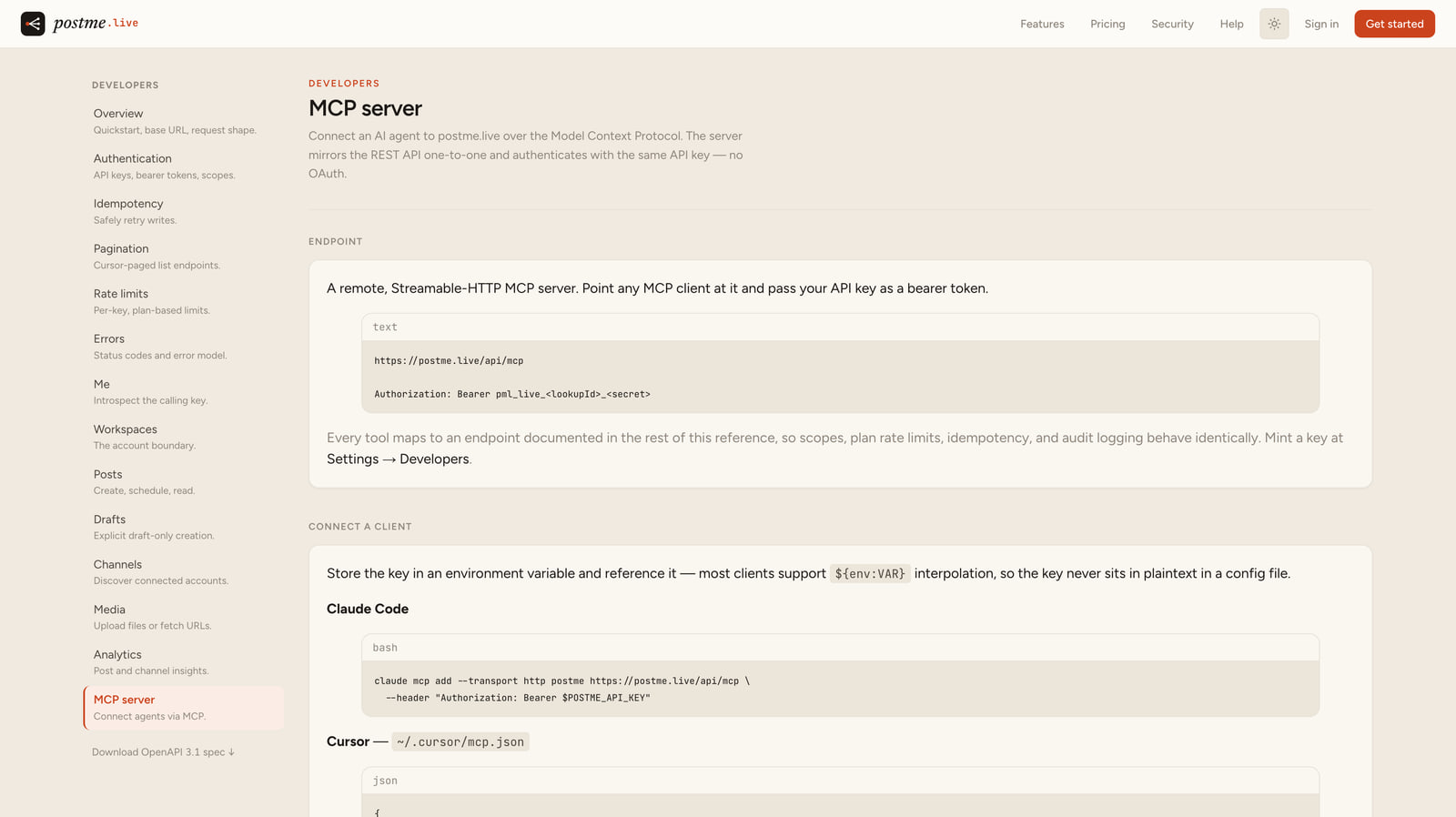
One endpoint, your key
A remote, Streamable-HTTP server at /api/mcp. Point any MCP client at it and pass your API key as a bearer token. No OAuth flow, no SDK to install.
One tool per operation
whoami, channels, media, posts, drafts and insights: each tool returns the same JSON the REST endpoint does, and the same structured error when something’s off.
The same rules as the API
Scopes, plan rate limits, idempotency and audit logging behave identically, so an agent can only ever do what your key is allowed to.
From client to first post
- 01
Mint a key
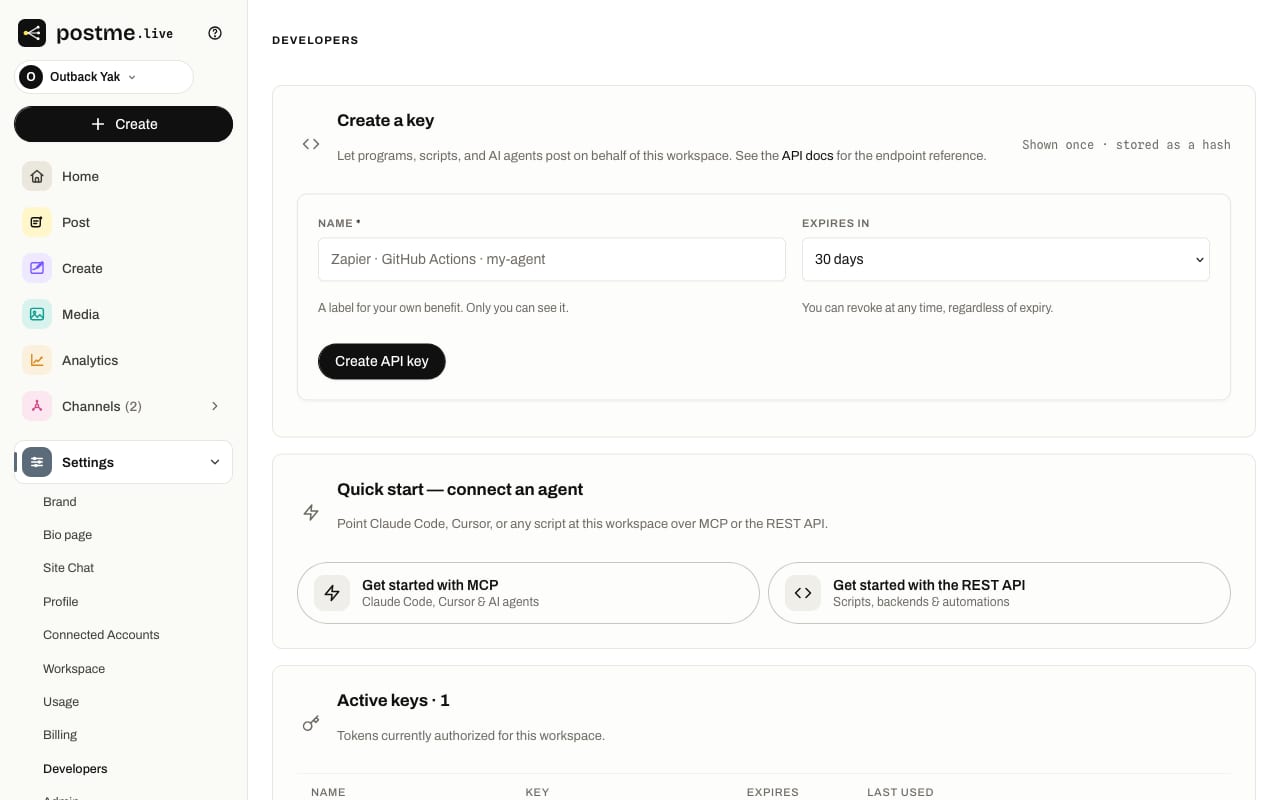
Create an API key in Settings → Developers and keep it in an environment variable.
- 02
Add the server
Point your client at the /api/mcp endpoint with an Authorization: Bearer header. Copy-paste configs included.
- 03
Discover the workspace
The agent calls whoami first to learn the key’s workspace, plan and scopes.
- 04
Let it post
Draft, schedule or publish on-brand. Every tool maps to a documented REST endpoint.
Mint a key in Settings, hand it to your agent.
Your whole account, agent-operable.
Good to know
- Which clients work today?
- Any client that lets you set a bearer header on a remote MCP server: Claude Code, Cursor, VS Code and Windsurf. ChatGPT and the Claude desktop / claude.ai connector currently require OAuth for remote servers, so they can’t attach a static key yet; we’ll add OAuth and a local package if there’s demand.
- Do I need OAuth or an SDK?
- Neither. The server authenticates with the same API key as the REST API. Pass it as a bearer token, and mint one in Settings → Developers.
- What can the agent actually do?
- Read your workspace, channels, media, posts and insights, and create drafts or posts, exactly what your key’s scopes allow. Every action is rate-limited and audit-logged like any other API call.
- Is it different from the REST API?
- No. The MCP tools mirror the REST endpoints one-to-one, so scopes, limits, idempotency and errors behave identically. The developer reference documents every tool.
Put an agent on your socials.
Mint a key, point your MCP client at one endpoint, and let it post on-brand.