We ship constantly.
postme.live is in public preview and moving fast. Here's the trail, a highlight reel of what's landed recently.
- Site
Your story, in your voice
- postme.live has a new face and a sharper reason to exist: it helps you tell your story everywhere, and it still sounds like you. The desk metaphor retires.
- A new look to match: ink on paper, one highlighter marker for the phrases that are yours, and new type across the site and the app.
- New pages for creators and personal brands, and a rebuilt share card wherever postme.live links get posted.
- New
Facebook and Instagram, open to everyone
- Meta's app review cleared: all eight permissions approved. Facebook Pages and Instagram Business or Creator accounts now connect on every plan, Free included.
- Publish photos, carousels, video and Reels to both, with per-platform captions and analytics that flow back into your dashboard.
- Under the hood: sturdier token refresh (a week of retry runway instead of minutes), automatic retries when Meta has a wobble at publish time, and rate-limit aware polling.
- New
The Bio page learns to count
- A new analytics page for your Bio page: views, visitors, link clicks and click-through by day, plus a per-link table that shows which links earn the taps.
- Counting is cookieless. A salt that rotates daily tells one visitor from another for that day only, so nobody is followed across days or sites, and raw event rows are deleted after 90 days.
- Your Bio page's week sits on the dashboard home now, views and clicks beside your channels.
- Site
One desk for your whole presence
- The site now tells the whole story: postme.live is the desk for your whole online presence, from the posts you publish to the Bio page that says who you are and the Site Chat that answers your visitors.
- Site Chat takes its place beside See, Post and Make on the homepage and the features hub.
- Pricing now lists the Bio page and Site Chat plainly, plan by plan.
- New
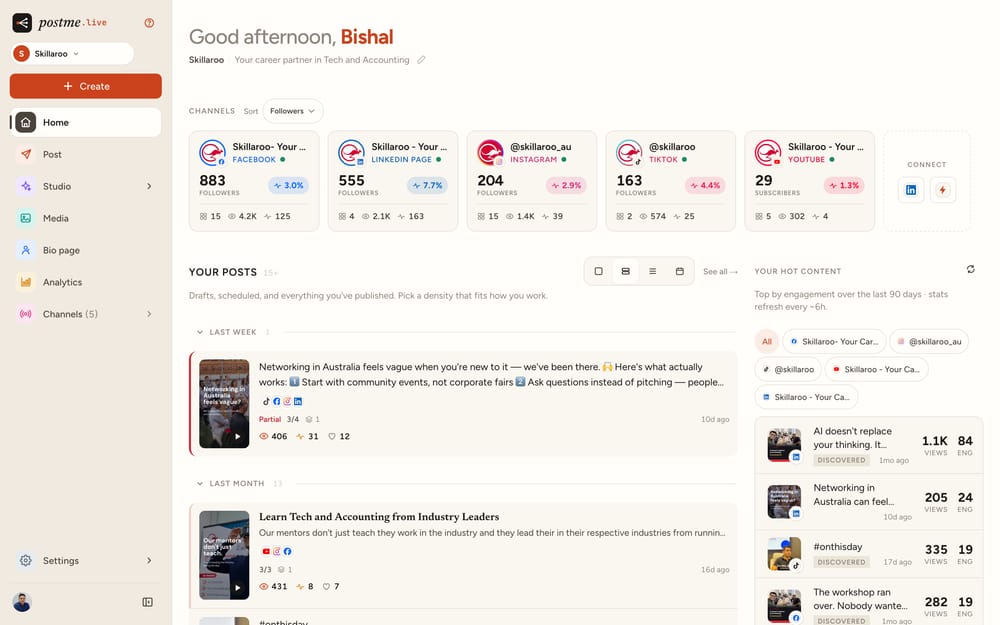
The desk gets a sidebar
- A redesigned app shell: navigation moves to a left-hand sidebar on desktop, so every page is one click away. Collapse it with Cmd/Ctrl+B when you want the room.
- Signed-in pages now live under postme.live/app, and every old link redirects.
- Studio opens straight into Image or Video, and Settings gathers profile, accounts, brand, workspace, usage and developer keys in one hub.
- New
Hand your socials to an agent
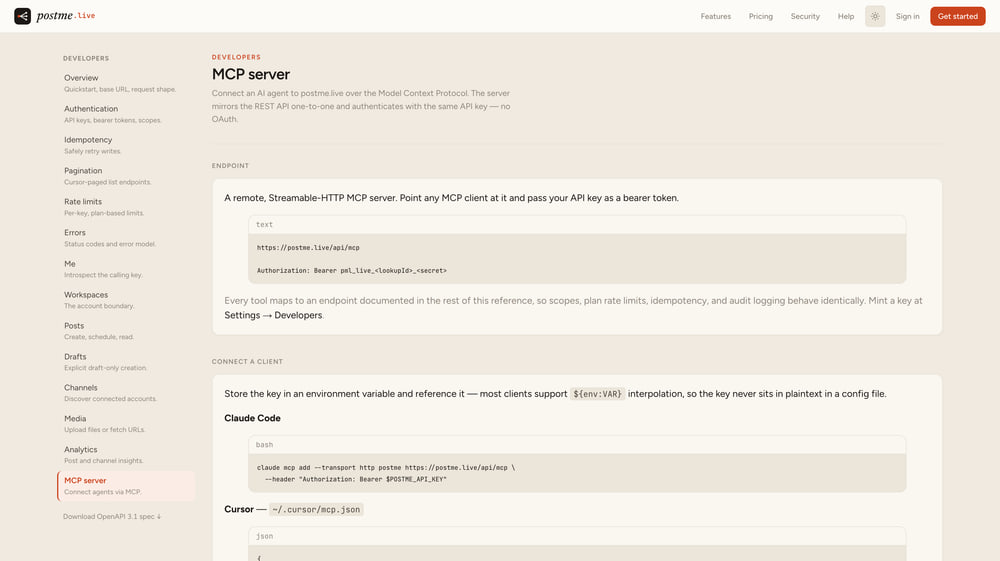
- An expanded developer API: workspaces, posts, media, channel stats, insights and publish-now, with API keys scoped per workspace.
- An official MCP server. Point Claude Code, Cursor, VS Code or Windsurf at one endpoint and let an agent draft, schedule and publish for you.
- Every Bio page gained an agent-readable Markdown twin at /md, so AI agents read your real links instead of guessing.
- New
The Bio page
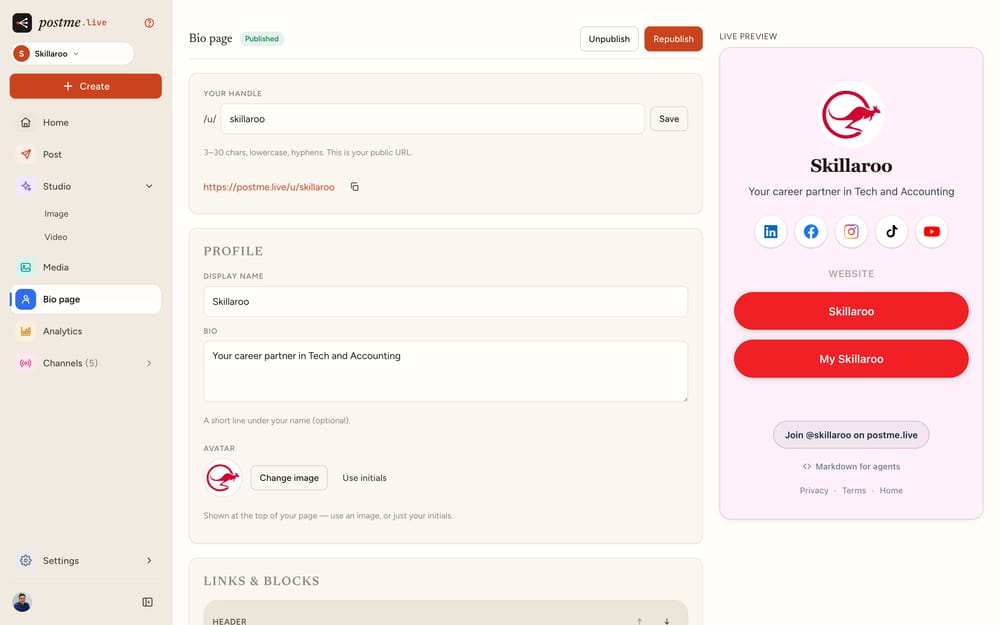
- A link in bio that looks like your brand: logo, colours, themes and every link behind one URL at postme.live/u/your-handle.
- Free on every plan, with an avatar picker, brand-colour social icons and a share image generated from your page.
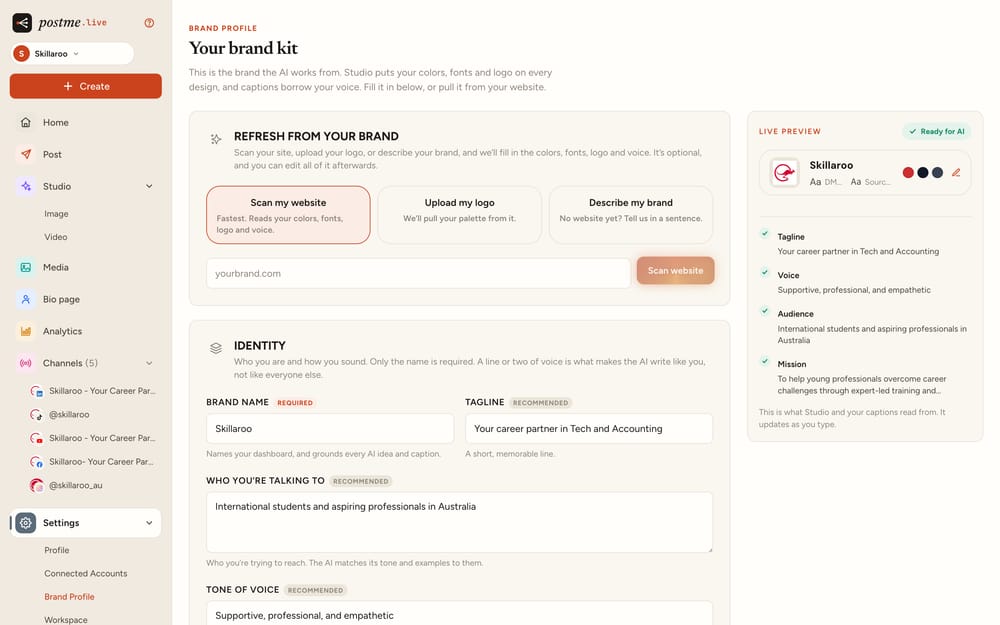
- A welcome tour for new accounts, and a brand kit that tells you what is required, what is recommended and what can wait.
Previews that match the vertical feeds
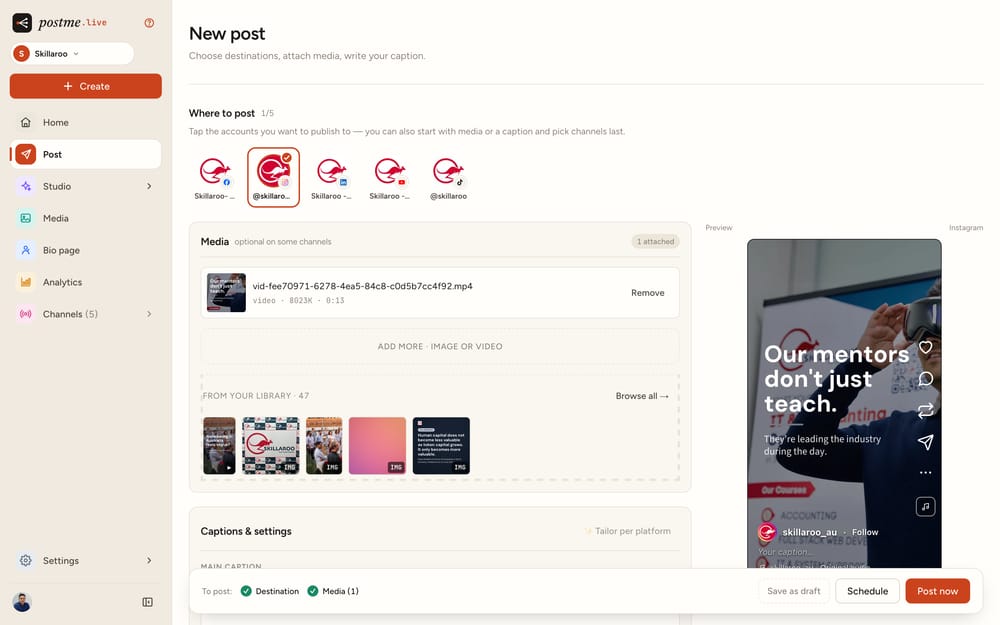
- Reels and Shorts previews rebuilt platform-authentic, with each network’s real framing and chrome.
- Browser back and forward now work everywhere in Studio.
- New
Slideshow video posts
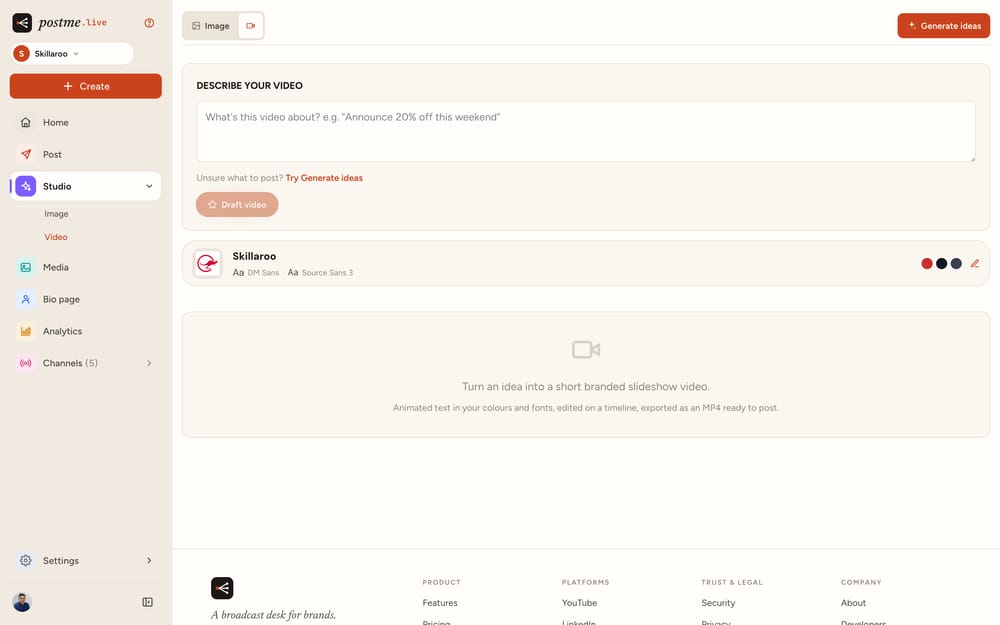
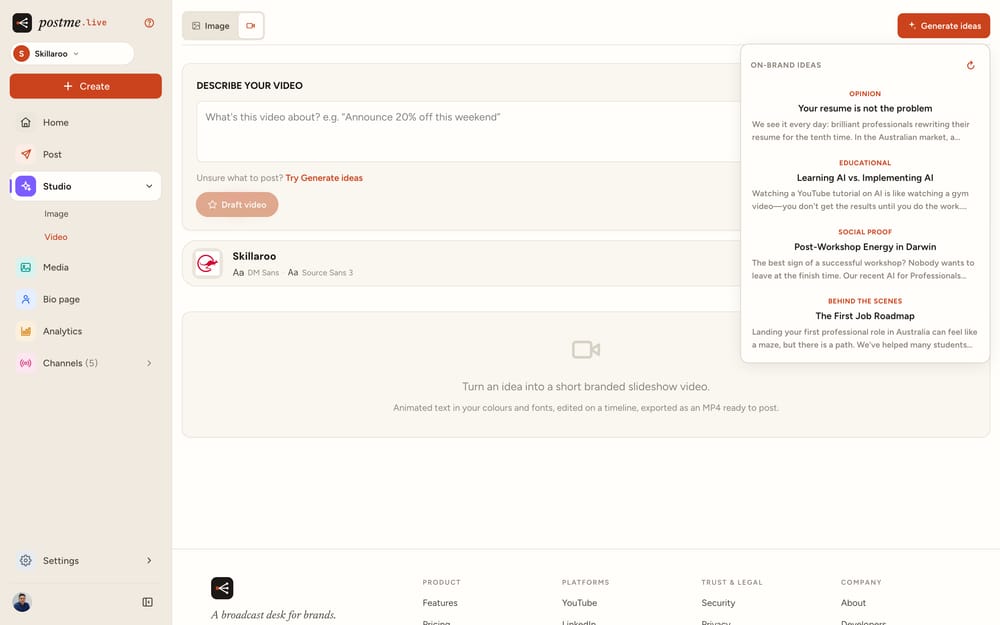
- Turn a prompt into a branded slideshow video, narrated in your brand voice, with music, ready to post.
- Studio video polish: per-slide themes, a logo toggle, and an inline photo picker.
- A pre-rollout security pass hardening accounts, connections, and infrastructure.
YouTube, live for everyone
- YouTube is now available on the Free plan for everyone, no invite needed.
A public help library, and a sharper app
- Launched a full help-docs site at /help: getting started, connecting channels, Studio, and honest platform limits.
- Rebuilt the post page with clearer captions and a media-view modal.
- Image-first channel pages and post cards with at-a-glance stats.
Platform-authentic previews
- Post previews now mirror each platform exactly (Facebook mosaics, Instagram carousels), with format-aware thumbnails and crop advisories.
- New
Content ideas, and fairer limits
- Studio Ideas: on-demand, brand-grounded suggestions for what to post, each with a sample design and caption.
- Logo placement control in Studio.
- Revised plans with transparent AI allowances and clearer in-app notices.
Brand-true Studio previews
- Studio previews now match the final render pixel-for-pixel, with real brand-font specimens.
- Repositioned the site around the idea at the core of the product: a broadcast desk that knows your brand.
The "On-Air" redesign
- A warm, editorial visual system: new palette, Newsreader display type, flatter cards.
- Studio sample backgrounds, a smarter media library, and analytics that match each platform's native numbers.
- New
Brand kit + the calendar
- Brand kit: load your brand once (scan your site, upload a logo, or just describe it) and everything comes out on-brand.
- Prompt-first AI design (Create with AI).
- A read-only calendar view of your scheduled posts.
Idea → media
- The first version of Studio: turn an idea into a branded image, ready for the composer.
- Fixed LinkedIn caption truncation on posts with reserved characters.
Big uploads, and a cleaner app
- Upload large videos reliably with direct-to-storage transfers and a progress bar.
- Redesigned settings, compose, and home; clearer timezone handling for scheduling.
That's the recent highlights; there's plenty more under the hood. Want to see it live? Get started, it's free.